🇫🇷 France
100
First in the world for tourists. The day's menu is chalked up in French, and recited at the table.
In a foreign country: at the table, at the doctor, in a meeting
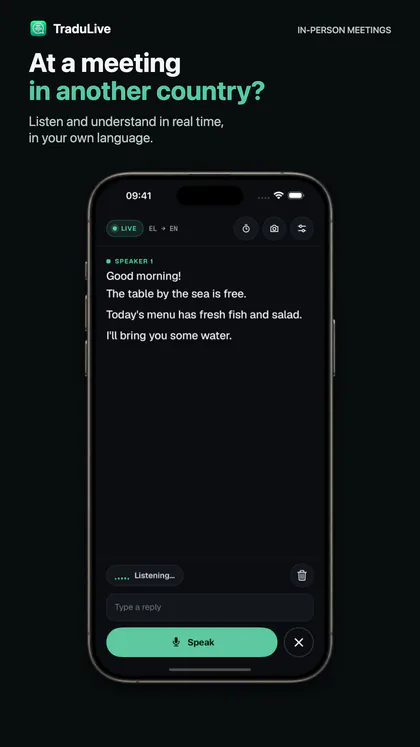
It listens to everyone, and you see the translation in real time.
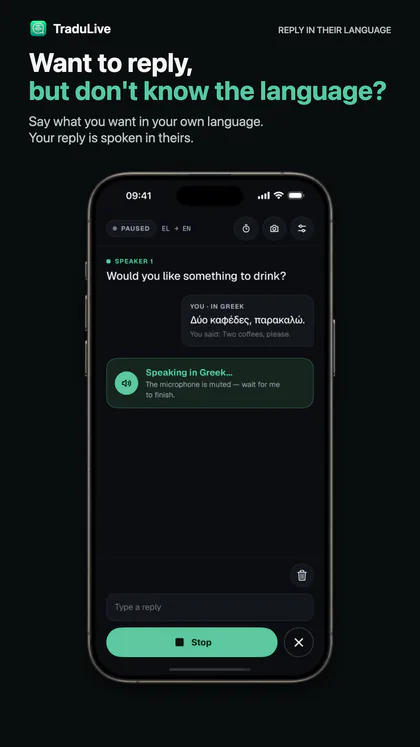
Want to speak the local language? Speak or type in yours, and the phone says it in theirs.
60 languages. 15 free minutes. No password: you sign in with your e-mail address.
Video calls
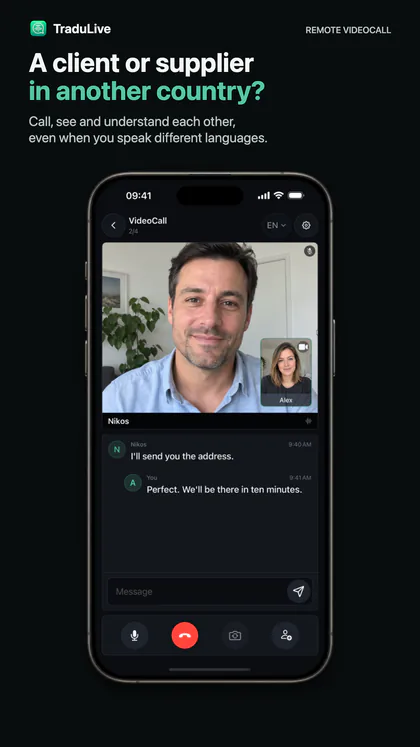
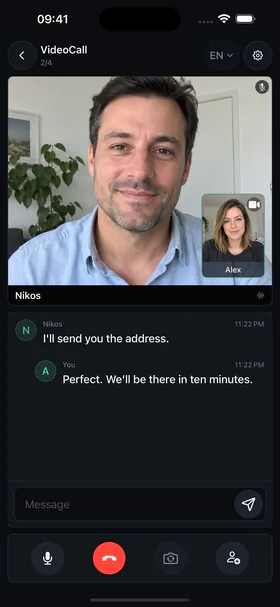
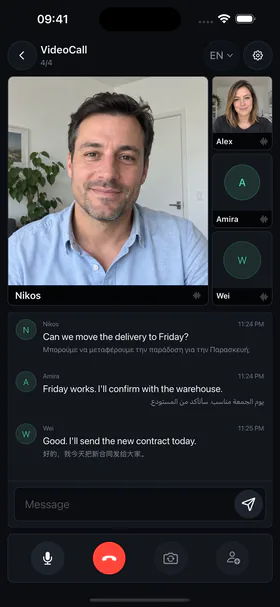
A client, a supplier or family in another country: call them from the app, and what each of you says appears under the picture in the other's language, as you talk.
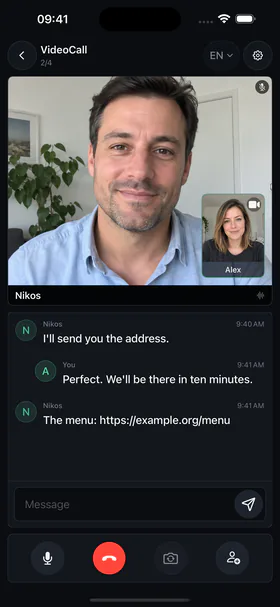
You play the person across the table: speak their language and read the translation in yours, as you speak. Three minutes, no account, in the browser.
The microphone starts only when you press. Nothing is saved.
What you see here is the engine alone. The demo does not tell the voices at a table apart and it does not speak for you: here you only read. In the app every person at the table gets their own line, numbered, and the phone says your answer out loud in their language.
Our figure runs from the moment the person stopped speaking to the moment their translation is on screen. The other two are as their reviewers published them.
Our figure is measured inside the app on 13 September 2026, on an iPhone, in a room with a television playing: the median across translated turns, p90 1.1 s. The other two come from published reviews, each of one product: Tom’s Guide tested a pair of headphones with live translation on 31 March 2026 but does not say where its clock starts; Notebookcheck measured a pair of translation earbuds in media mode, in December 2024, where the translation trails the video. We left out the figures we could not trace to a primary source.
More than half of Europeans cannot hold a conversation in English: 53%, says the European Commission. And you are going exactly where the share is larger still.
First in the world for tourists. The day's menu is chalked up in French, and recited at the table.
In Seville, €10 extra for a table in the sun. Reported to the consumer authority.
At Lake Como, €2 extra just to cut your sandwich in half.
Istanbul revoked taxi licences after a tourist was charged 36,000 lira, about €1,000.
We don't teach you languages. We put the phone on the table and let the conversation run both ways, live, without the other person touching anything.
Recognition and translation in one stream, 60 languages, both ways, under a second. Try it in the demo above: three minutes, no account.
The percentages show who CANNOT hold a conversation in English, subtracted from Special Eurobarometer 540, European Commission, fieldwork 2023: 40% of the French, 38% of Spaniards and 33% of Italians say they can. No official English figure exists for Türkiye: Eurostat shows 46% of adults know no foreign language at all, so at least that many don't speak English, and the real share is higher because some of the rest speak a language other than English. Tourists: national tourism ministries and UN Tourism, 2024.
Translate your table, not the whole restaurant. Two options in Settings, on only when you need them.
Hearing & speech help
For people who are deaf or hard of hearing, and for people who cannot speak: you read what is said, and the phone says what you type.

Two switches in Settings that you turn on about yourself. The phone writes what is said and speaks what you type, in their language or in your own.
It can make mistakes, more so in noise or when several people speak at once. It is not a medical device and it does not replace a qualified interpreter, including a sign-language interpreter. It costs nothing extra: the same price as everything else in the app.
Inside the app
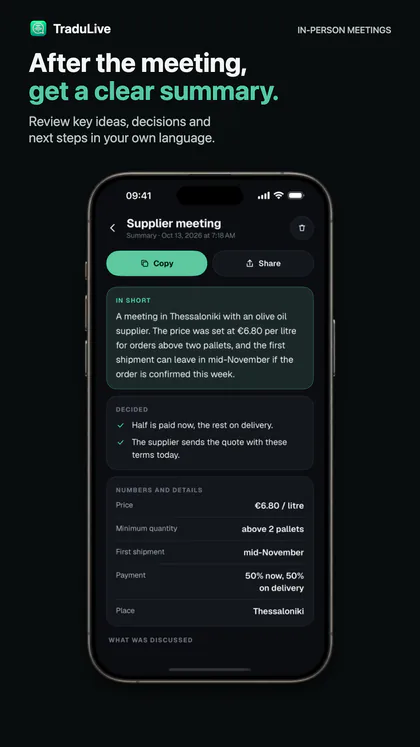
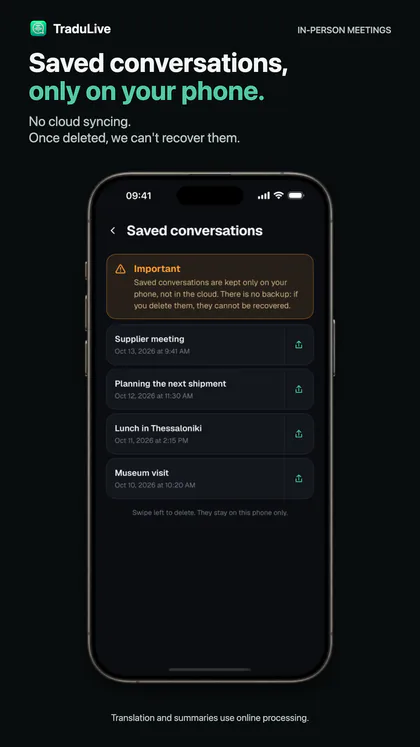
Six moments, each on a drawing of the app's own screen. The buttons and labels are the app's; the conversations are examples.
It can make mistakes, more so in noise, and it does not replace an interpreter.
They speak theirs. You read yours. Pick from the list and change it any time, mid-conversation.
On a full terrace the phone's own speaker is lost. The app works with any Bluetooth speaker, yours or ours. This is the one we recommend: it clips to your collar or to the back of the phone, it comes through clearly, and there is nothing to touch during the conversation.


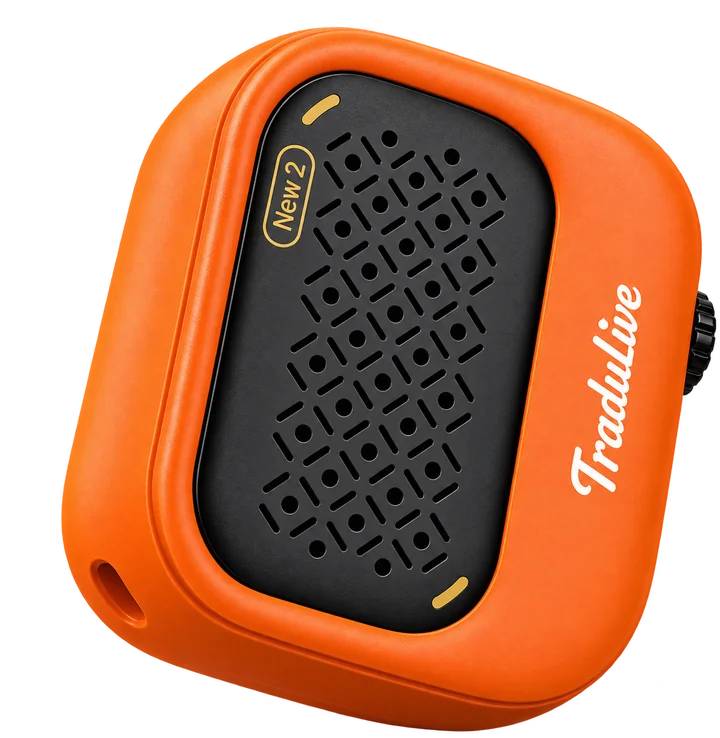
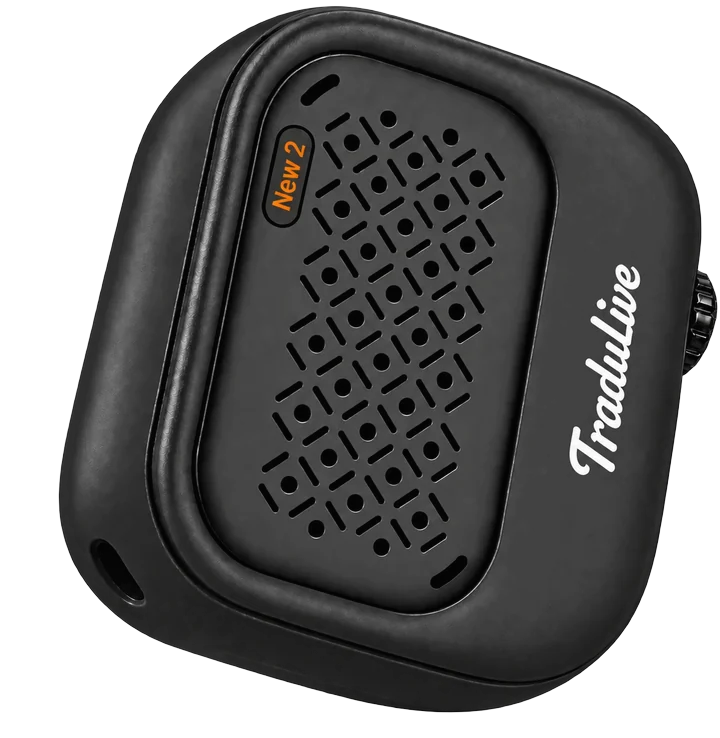
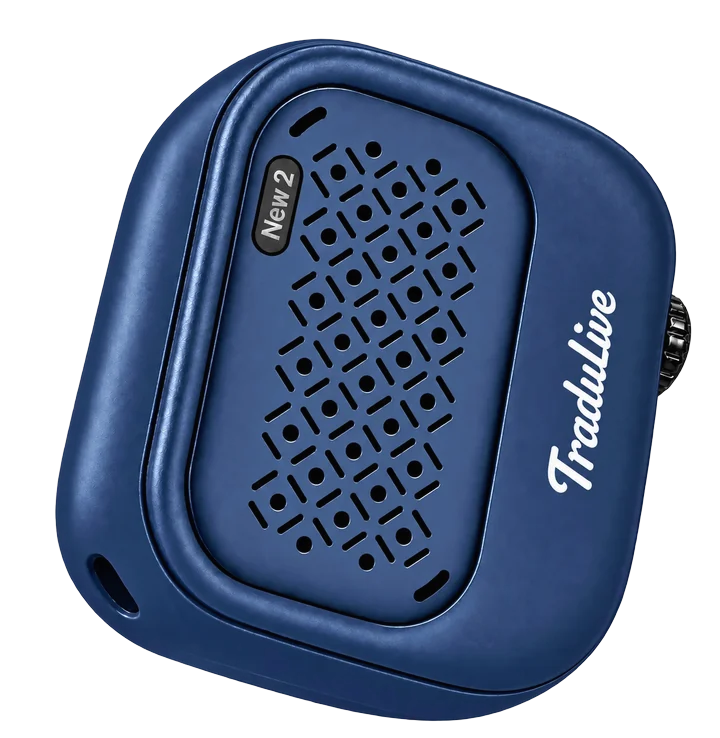
Created scenes, not photographs, to show how the speaker is worn.
Start free. Then hours, not a subscription.
Every feature, from the first open. Enough to try it at a real table.
Six dinners, or a week of taxis and menus.
Two weeks abroad without watching the clock.
For people who travel often. It waits between holidays.
Create your own custom voice. Speak every language in your own voice.
Bought inside the app, through Apple or Google, once: no subscription, nothing renews by itself. The prices above exclude tax: your country's VAT is added in the store, before you pay. Want a subscription? Write to us.
What people ask us most, before they try it.
No. One phone, yours, on the table. They speak normally; you read it in your language and answer with the green button. They never touch the phone and wear nothing in their ear.
No. The phone on the table does the listening and the speaking: you read the translation on its screen and it says your answer out loud, so nobody wears anything in their ear. If it is hearing through a headset, it asks you to take it off, so it can hear the whole table. On a loud terrace you can add any Bluetooth speaker, yours or ours, so your answer is heard.
Yes. The app listens to the whole table and tells the voices apart: each person gets their own line on screen, numbered, translated. That way you follow a conversation between three or four people and know who said what, not only what was said. In a very loud place the separation can still slip, which is why the two settings that narrow the listening to your table exist.
The phone never changes hands and you never wait for the other person to press something. The conversation writes itself, both ways, and for noisy places you have two settings that narrow the listening to your own table.
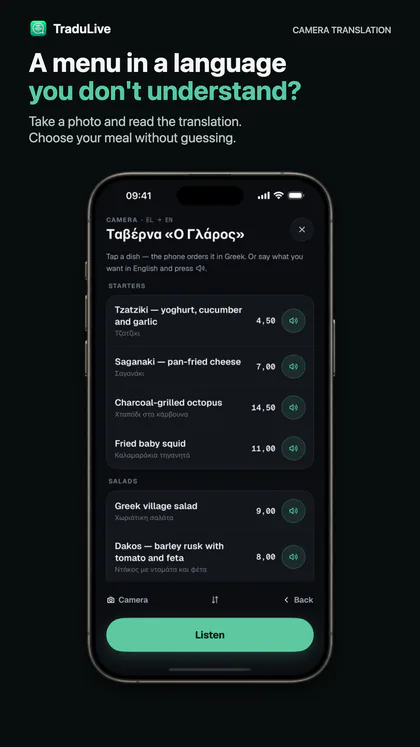
Yes. Photograph the menu and the dishes appear in your language, prices included. Tap a dish and the phone orders it out loud in their language. Take the photo straight on and in good light, so every line can be read.
Yes. Two switches in Settings are there for it. With the first, every line shows who said it, in the text size you choose, and the indicator says in words when someone is speaking. With the second, for people who cannot speak, you type and the phone says it out loud. It costs nothing extra. It can make mistakes, more so in noise, and it does not replace a sign-language interpreter. More on the hearing & speech help page.
No. Translation happens live on servers in Europe, so you need mobile data or Wi-Fi. It uses little: the audio leaves compressed.
Very good at a table, in ordinary conversation. It is a conversation aid, not a certified translation; for serious medical or legal matters find a translator.
Sixty spoken languages, recognised and translated both ways. The app itself is written in forty of them and settles on your phone's language by itself.
Under a second. The words write themselves on screen while the person in front of you is still speaking, not after they finish the sentence.
Yes. Two settings narrow the listening to your own table: the cone microphone, which hears only what is in front, and the proximity threshold, which cuts the voices from the tables around you. For a packed terrace there is also the speaker, which says your answer loudly enough to be heard.
Your e-mail address, that is all. No password to remember: you get a code by e-mail and stay signed in for months. The first fifteen minutes are free.
It is not a subscription. You buy hours once — 3, 10 or 20 — and they never expire. A pack bought before one holiday is still there for the next. Nothing renews itself and nothing is taken from your card.
No. Audio goes to translation while you talk and we do not keep it afterwards. We keep your e-mail address, your purchases and a record of the minutes you used; conversations you choose to save stay on your phone only.
It helps you understand each other there too, but it is a conversation aid, not a certified translation. For a diagnosis, a notarised document or a court case, ask for a sworn translator.
iPhone and Android.
Reading
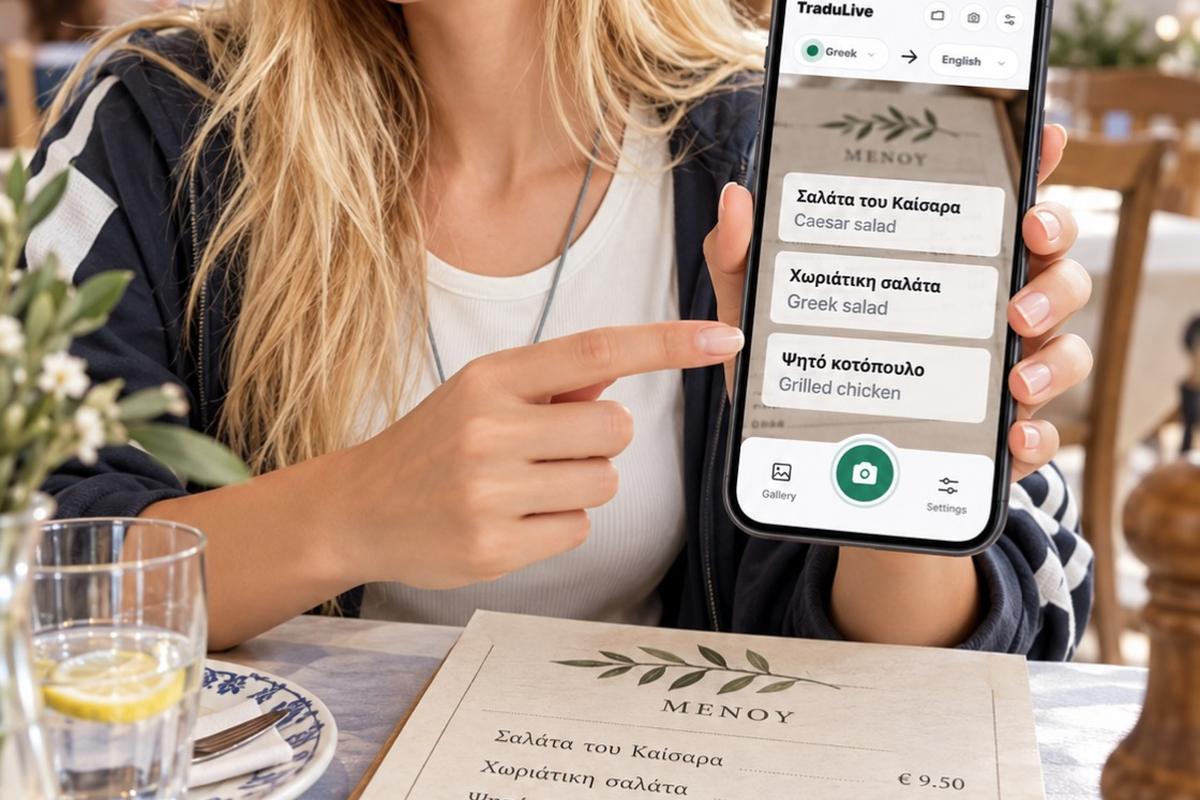
Photograph it flat and in good light. Ask the price of anything sold by weight. Say the allergy before you order — and know which lines on the bill are normal.
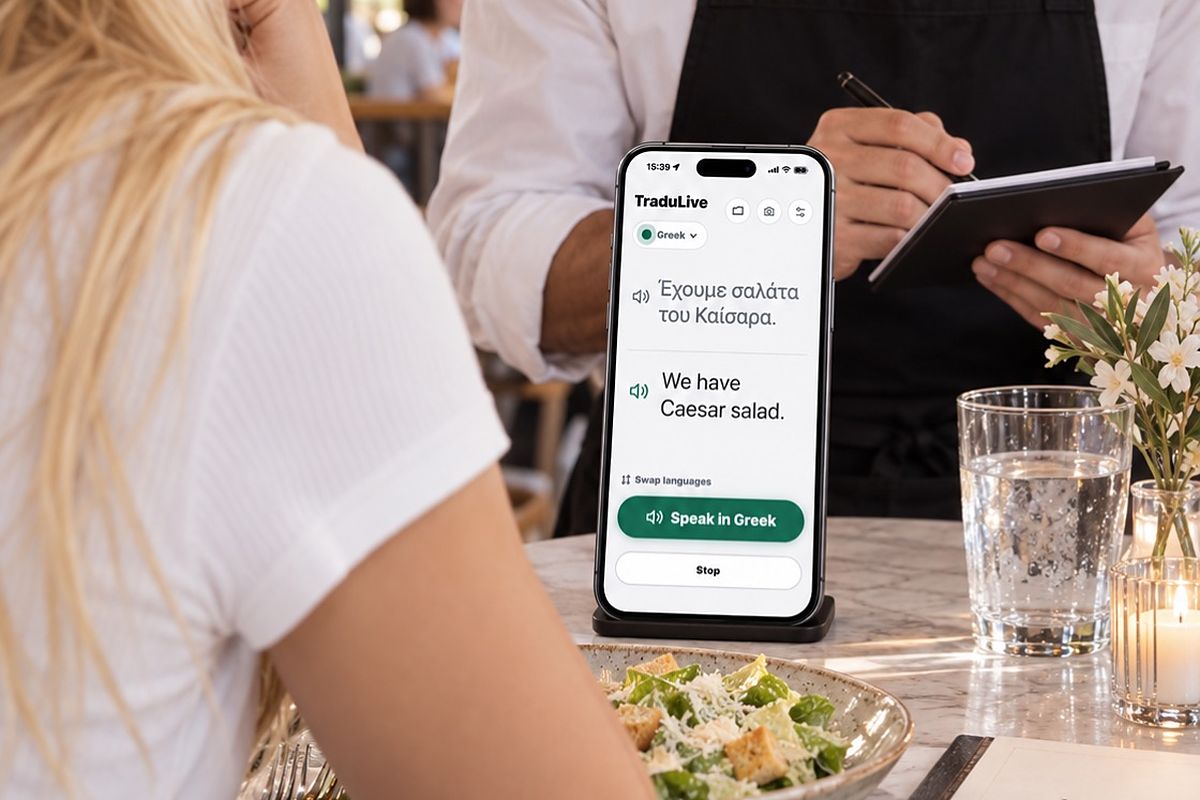
Who wears what, who presses what, who waits for whom: earbuds, a pocket device and a phone on the table, compared honestly, situation by situation.

Tell the airline 48 hours ahead. Get the gate change in writing. Know how to text the emergency services where you are going — before you need to.